> For the complete documentation index, see [llms.txt](https://docs-latam.messaging.sinch.com/llms.txt). Markdown versions of documentation pages are available by appending `.md` to page URLs; this page is available as [Markdown](https://docs-latam.messaging.sinch.com/send-a-message/character-limit-setting.md).
# Character Limit Setting
You can ask the Support team to set a character limitation, where 1500 characters is the maximum a message can be. This setting is done per subaccount.
Once this configuration is done, it looks like this:
If the user hovers the mouse over the (new) configured information, the following message appears:
> Contagem de caracteres configurada pelo admin da sua conta.
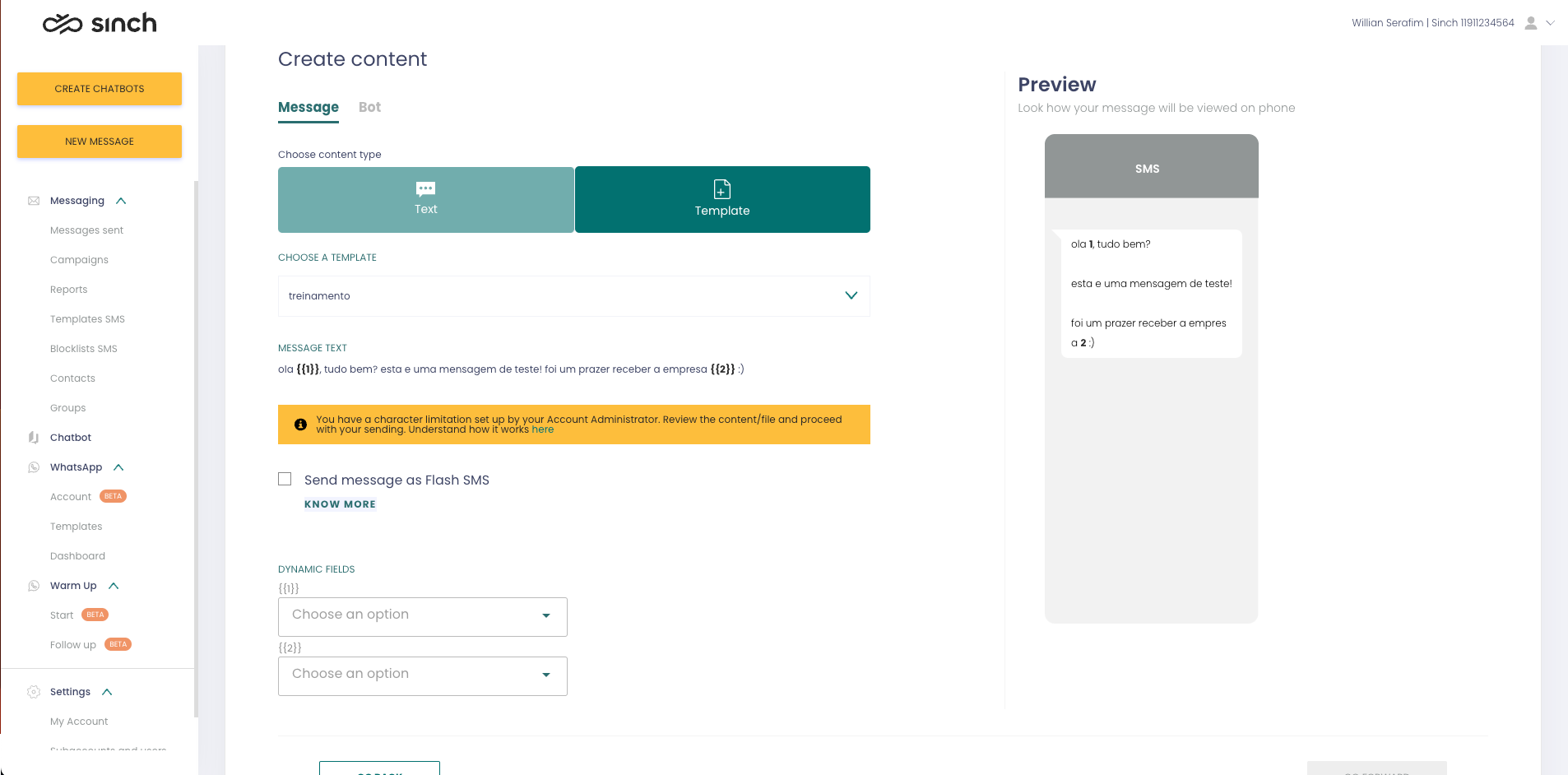
For those who choose to use a template, the configuration also appears:
And when you go to shoot, in case your account has some character configuration limitation, this message will appear in yellow:
{% hint style="danger" %}
ATTENTION!!!
When using a template with a variable, this yellow box will appear informing that this account is configured. If you want to know which text limitation, just select the TEXT option to see this information.
{% endhint %}
An important factor is that even having configured the character limitation, when using a template with a variable and this variable will exceed the limitation, the message will be sent in full.
It is understood that at the level of customer experience, it is necessary that the message be delivered in full.
The warning in the yellow box serves precisely to warn of this behavior and to review the content or content of the file that will be used.